
How to Prepare CAD Files for Laser Cutting Quotes
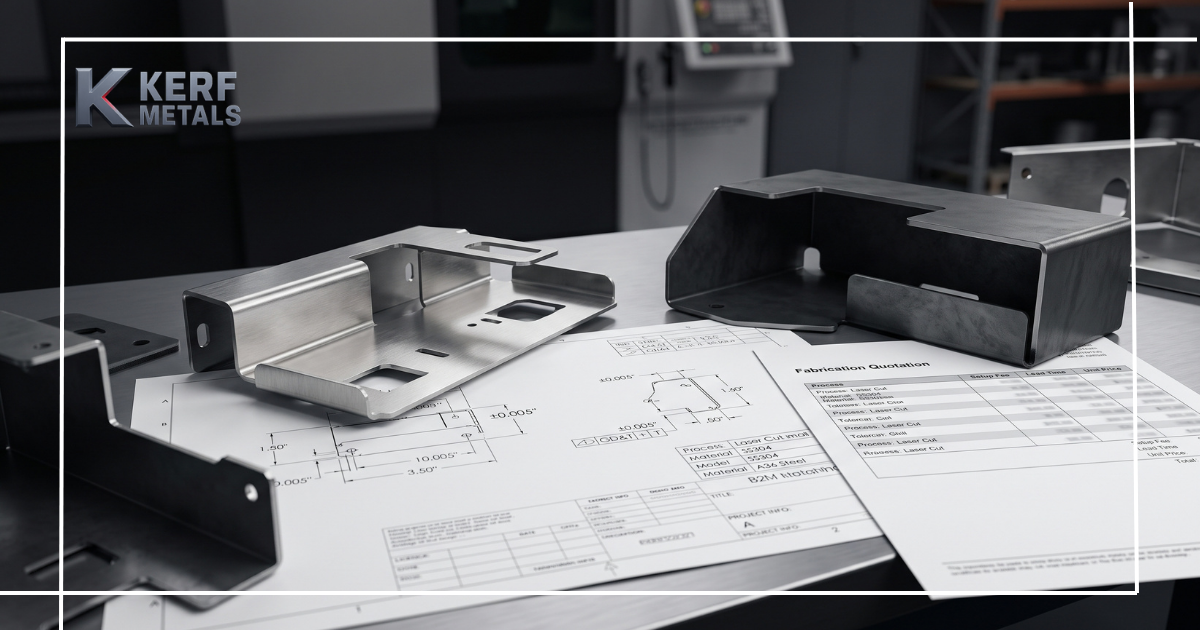
A clean CAD file can make the difference between a fast, accurate laser cutting quote and days of back-and-forth clarification.
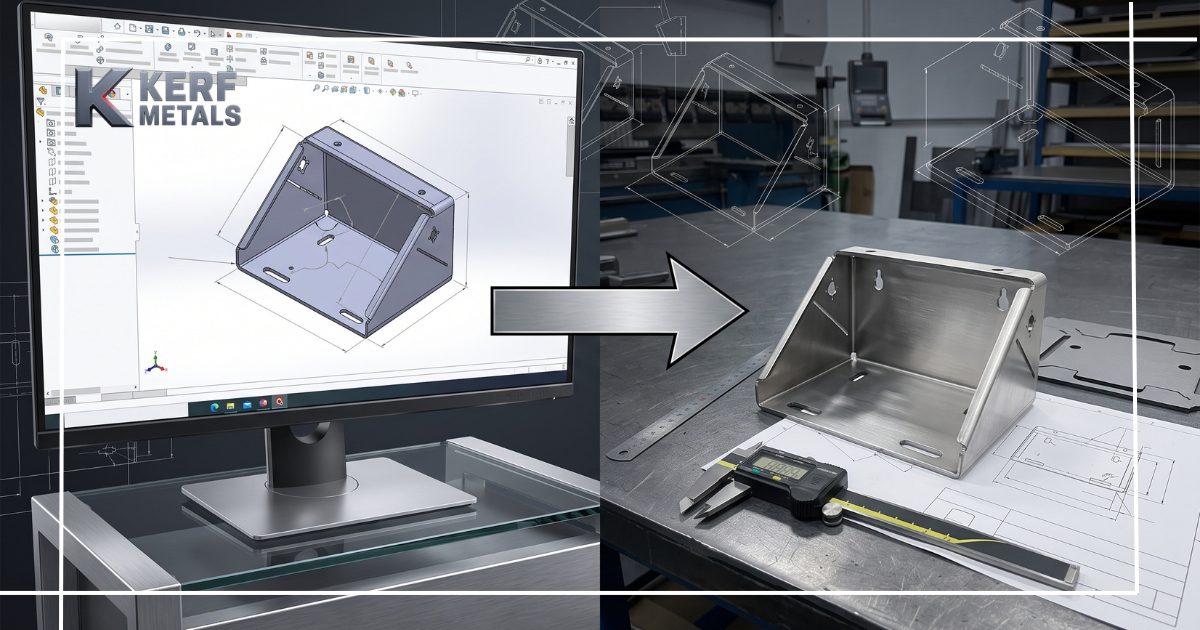
For metal parts, your file is not just a drawing. It is the starting point for quoting, programming, nesting, cutting, and, when needed, downstream processes such as bending or rolling. If the geometry is unclear, the units are wrong, or key project details are missing, the quote may take longer — and the final part may not match your intent.
At Kerf Metals, we provide precision laser cutting, metal bending, and metal rolling services for custom metal parts. To help us review your project quickly and quote it accurately, here is how to prepare your CAD files before submitting a request.
Research on sheet metal manufacturing also supports why this matters: sheet metal blanks are often developed through CAD and then cut using CNC equipment, while nesting and sheet utilization directly affect material usage, scrap, and cost.
Why CAD File Quality Matters
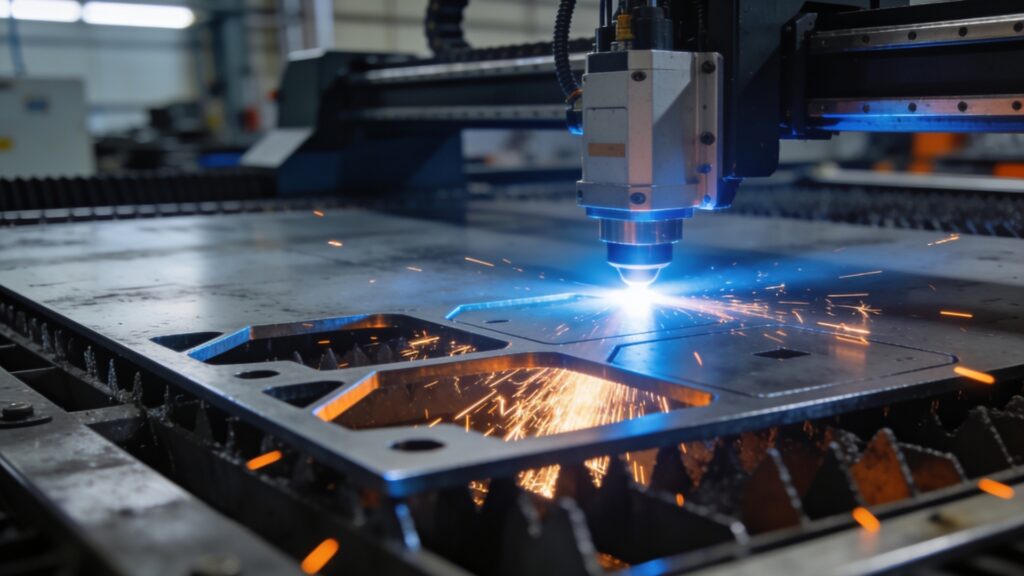
Laser cutting machines follow digital geometry very literally. Small issues that may look harmless on screen can create real production problems.
Common CAD file problems include:
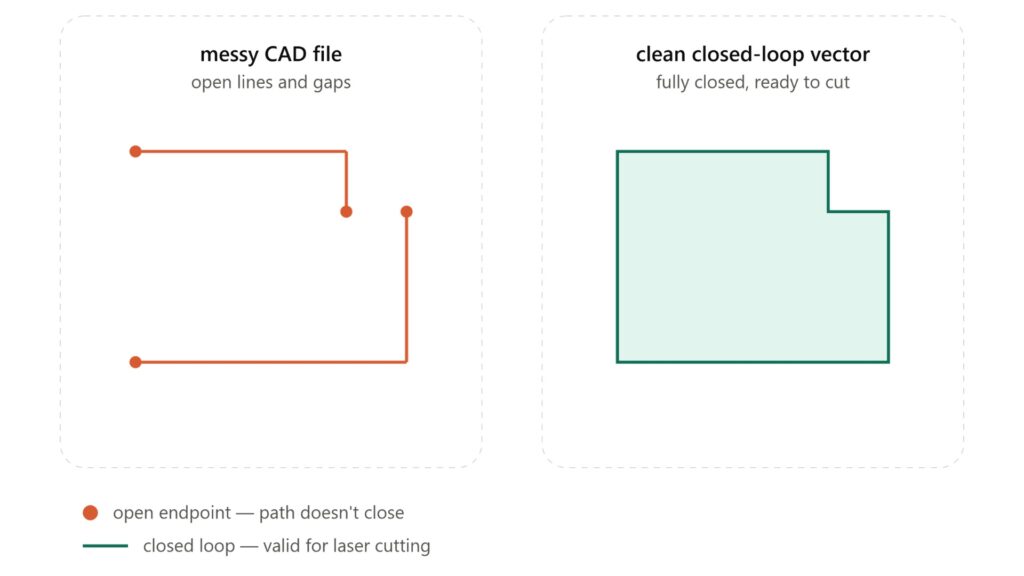
- Open contours
- Duplicate or overlapping lines
- Wrong units or scale
- Missing material thickness
- Unclear tolerances
- Extra title blocks, dimensions, or construction lines inside the cut file
- Splines or unsupported geometry
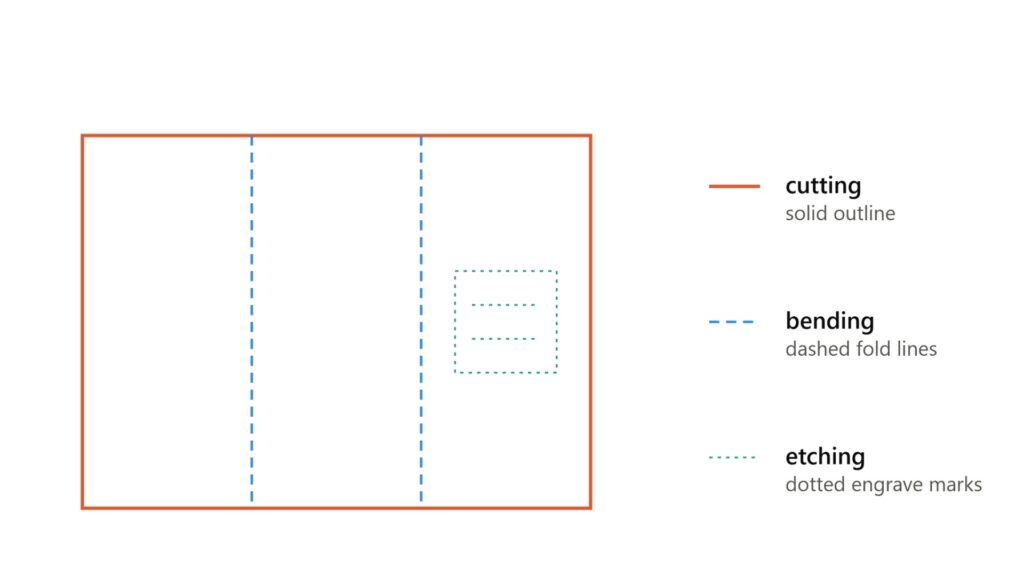
- No distinction between cut lines, bend lines, and etching/marking lines
Several laser cutting file-preparation guides point out the same issue: bad DXF or DWG files often create quoting delays, extra programming time, mis-cut parts, scrap, or avoidable setup costs.
The cleaner your file is, the easier it is to quote your part accurately, plan material usage, and move the job into production.
Best File Formats for Laser Cutting Quotes
For most laser cutting projects, DXF is the preferred format.
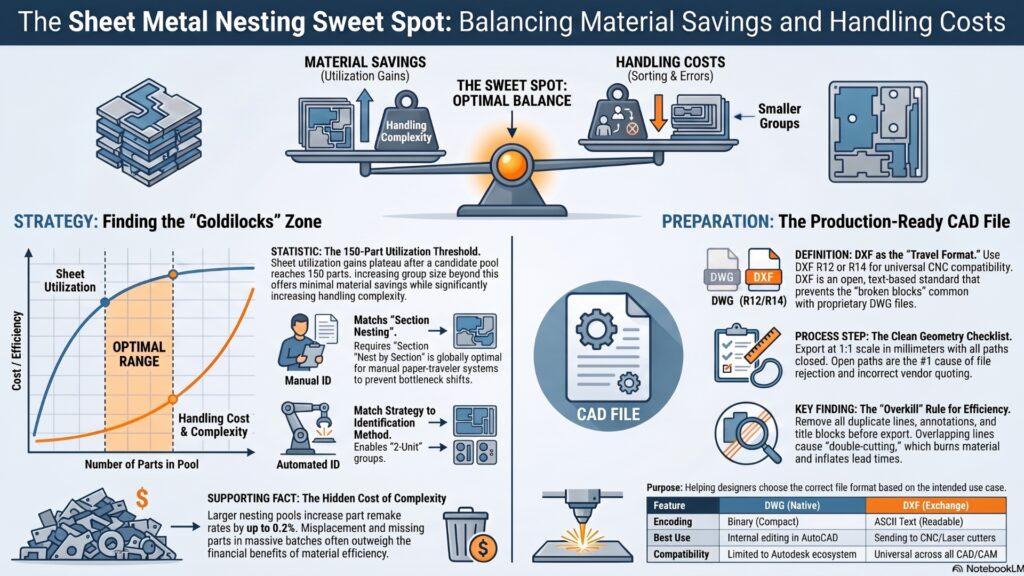
DXF is widely used because it is a practical exchange format for 2D cutting geometry. DWG is also useful, especially if the file was created in AutoCAD, but DXF is usually safer when sending a 2D profile to a laser cutting supplier. Tech industry notes that DXF is generally the better choice for CNC and laser cutting because it is widely compatible and commonly accepted by shop-floor software.
Recommended file formats
Format | Best use |
DXF | Best option for 2D laser cutting profiles |
DWG | Good if created in AutoCAD or similar CAD software |
STEP / STP | Helpful for 3D review, especially if bending is involved |
Good as a reference drawing, not ideal as the main cut file | |
AI / SVG | Sometimes useful for vector artwork, but must be clean and properly scaled |
Use 1:1 Scale and Confirm Units
Your CAD file should be drawn at actual size, meaning 1:1 scale.
If a part is supposed to be 10 inches long, the CAD geometry should measure 10 inches. If it is supposed to be 250 mm long, it should measure 250 mm in the file. One of the most common errors in laser cutting files is a unit mismatch, especially when inches and millimeters are confused. Lumen Future and Admati both emphasize that 1:1 scale and correct units are critical for avoiding parts that cut too large or too small.
When submitting a quote to Kerf Metals, include:
- The drawing units
- At least one reference dimension
- Material thickness
- Quantity
- Any critical dimensions or tolerances
A reference PDF is also helpful because it lets us verify that the CAD file opened at the intended size.
Keep Cut Geometry Clean and Closed
For laser cutting, every exterior profile, hole, slot, and internal cutout should be a closed loop.
Open paths can create confusion in CAM software. Even a tiny gap can cause the machine path to stop, restart, or require manual repair. Laser Cutting Experts recommends closed profiles, joined geometry, and removal of duplicates or stray lines before export.
Before sending your file, check for:
- Open contours
- Duplicate lines
- Overlapping geometry
- Tiny leftover line fragments
- Unjoined corners
- Stray construction lines
- Hidden geometry
- Unnecessary centerlines or dimensions inside the cutting file
A clean file should contain only the geometry needed to manufacture the part.
Separate Cut Lines, Bend Lines, and Marking Lines
If your part only needs laser cutting, the file can usually be simple: one clean layer for the cut profile.
If your part also needs metal bending, make the bend information clear. Do not leave bend lines mixed into the cut profile without explanation. Use a separate layer or provide a PDF drawing showing:
- Bend location
- Bend direction
- Bend angle
- Inside radius, if required
- Finished dimensions after bending
- Critical flange dimensions
If your part requires metal rolling, include the required radius or diameter, arc direction, material thickness, and final shape requirements. For rolled parts, a flat DXF may not be enough by itself; a reference drawing or 3D model can help clarify the intended result.
For any etching, engraving, or part marking, use a separate clearly named layer and explain whether the line should be cut, etched, marked, or used only as a reference. Lumen Future recommends separating cut, score, and engrave features by layers or colors to avoid ambiguity.
Do Not Over-Specify Tolerances
Laser cutting is precise, but every process has limits. Material type, thickness, heat behavior, geometry, and part size can all affect the final result.
A common quoting issue is when every dimension is marked with a very tight tolerance, even when only one or two dimensions are functionally critical. Overly tight tolerances can increase review time and cost because they may require special handling, inspection, or process adjustments.
One of the laser cutting tolerance guidelines also notes that tolerances are material-dependent and should be treated as general guidance rather than a one-size-fits-all rule.
For the best quote, specify:
- General tolerance expectations
- Critical dimensions only where needed
- Hole sizes that must fit hardware
- Mating surfaces
- Bend-related dimensions
- Any dimensions that affect assembly
This helps Kerf Metals understand what matters most and quote the job appropriately.
Account for Kerf — But Do Not Guess
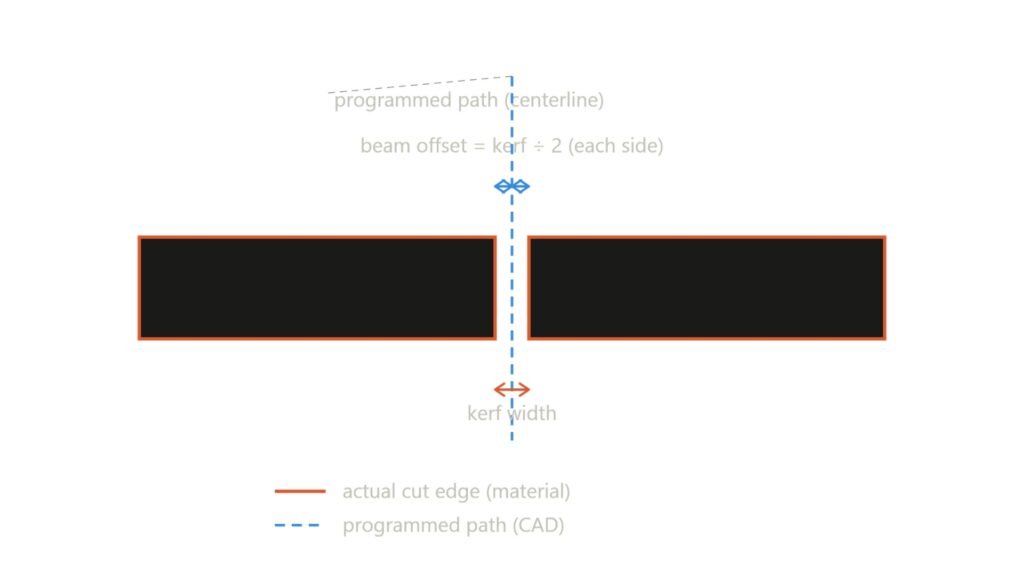
Kerf is the width of material removed by the cutting process. It matters because the laser does not cut with zero width.
In many cases, the cutting team will apply the proper kerf compensation during programming. That is why it is usually best to send the nominal finished part geometry, not a manually offset version, unless you have already discussed this with the supplier.
A previous Kerf topic document also identified kerf compensation, nesting, waste reduction, and accurate steel cutting as important educational topics for potential customers.
When submitting files, tell us if:
- Your DXF is already kerf-compensated
- The geometry represents finished part size
- Internal holes or slots have critical fit requirements
- Parts are designed to interlock or tab together
This prevents double compensation or incorrect sizing.
Include Material, Thickness, and Quantity
A CAD file alone is not enough for an accurate quote.
To quote laser cutting properly, Kerf Metals needs to know the material and production requirements. Material type and thickness affect cutting parameters, edge quality, time, and cost.
Include:
- Material type: mild steel, stainless steel, aluminum, etc.
- Material grade, if known
- Thickness or gauge
- Quantity per part
- Whether this is a prototype or repeat production
- Required turnaround, if urgent
- Any finish requirements
- Any bending or rolling requirements
One file-preparation guide also highlights that material, quantity, tolerances, and finishing details should be sent with the file for faster and more accurate quoting.
Should You Nest the Parts Yourself?
In most cases, no.
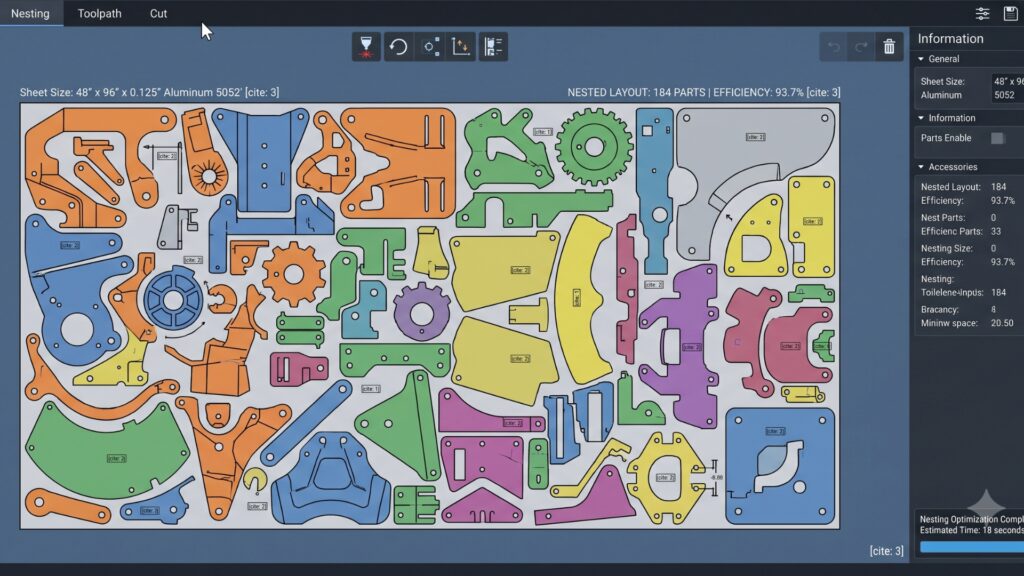
Unless you have a very specific layout requirement, it is usually better to send the individual part files and let the cutting team handle nesting. Professional nesting considers sheet size, part spacing, grain direction, kerf, material usage, and machine constraints.
The uploaded manufacturing research also explains that nesting is used to pack blanks onto raw sheets to improve material utilization and reduce scrap, but larger or more complex nesting groups can also increase handling complexity.
For quote requests, Kerf Metals can better evaluate the job when the files are clean, clearly named, and accompanied by material and quantity details.
CAD File Checklist Before Requesting a Quote
Before sending your file to Kerf Metals, review this quick checklist:
- File is DXF or DWG
- Geometry is 2D and drawn at 1:1 scale
- Units are clearly stated
- Profiles are closed loops
- Duplicate and overlapping lines are removed
- Construction lines are deleted or separated
- Cut, bend, and marking lines are clearly identified
- Material type and thickness are included
- Quantity is included
- Critical tolerances are marked
- A reference PDF is included
- Bending or rolling requirements are clearly shown
- File names are clear and organized
A clean submission helps us quote faster and reduces the chance of production delays.
What to Send Kerf Metals for the Fastest Quote
For the best result, send:
- DXF or DWG filefor laser cutting
- PDF drawingwith dimensions and notes
- Material type and thickness
- Quantity needed
- Tolerance requirements
- Bending details, if required
- Rolling details, if required
- Project notes, including finish, fit-up, or assembly requirements
The more complete the information, the more accurate the quote.
Final Thoughts
Preparing CAD files correctly is one of the easiest ways to reduce quoting delays, avoid rework, and get better laser cut parts.
A good file gives the cutting team clean geometry. A complete request gives them the context they need: material, thickness, quantity, tolerances, and any bending or rolling requirements.
At Kerf Metals, we help customers turn CAD files into precise metal parts through laser cutting, metal bending, and metal rolling. Whether you need a one-off prototype or a repeat production run, a clean CAD file helps us quote your project faster and manufacture it more accurately.
Ready to start your next project?
Request a Quote and send us your CAD files for review.